FPV Wi‑Fi RC Stunt Car: HD Camera Drift & Climb Tips
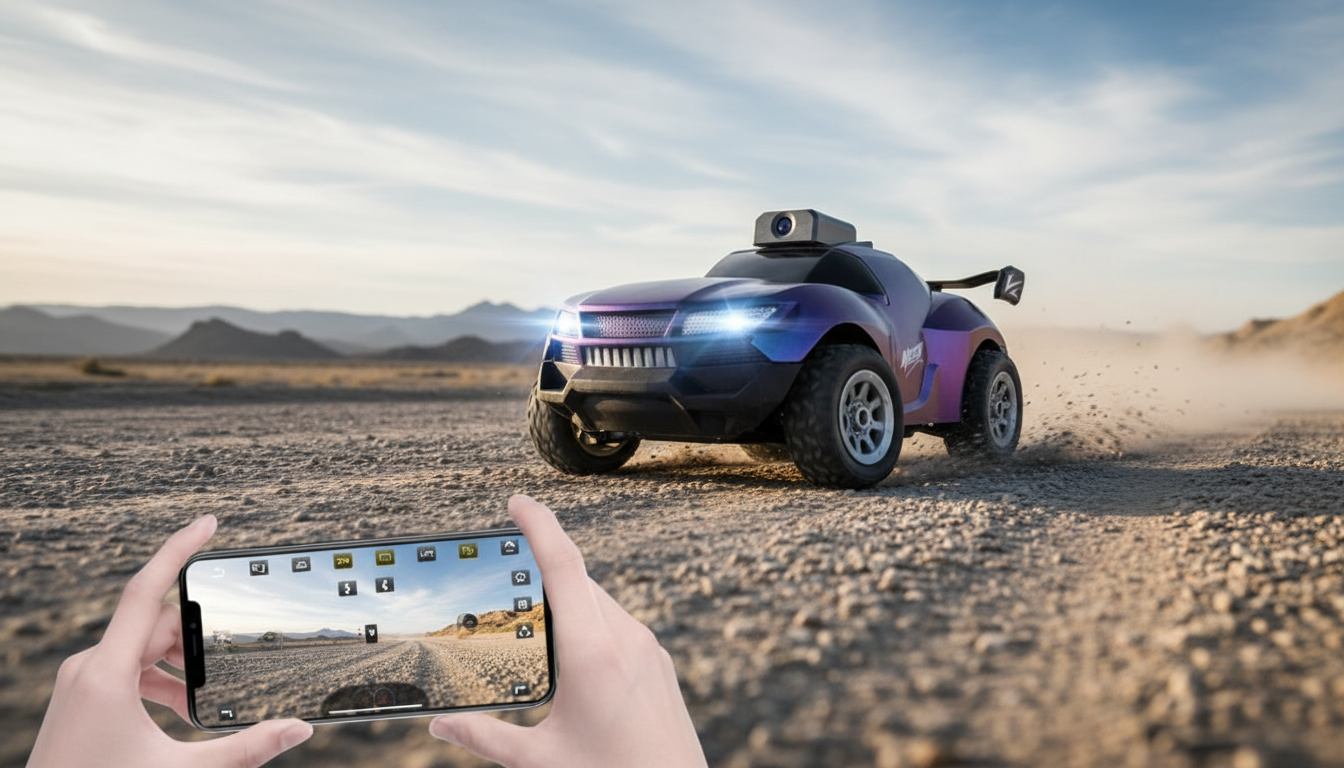
RC Car with HD Camera and FPV Wi‑Fi: Stunt, Drift, and Climb Action
A camera-equipped stunt RC car adds a new layer of fun: drive by sight the classic way or switch to a live FPV view and “ride along” through the camera feed. From quick spins to controlled drifts and small climb challenges, this style of RC is built for variety rather than just straight-line speed. Below is what makes FPV stunt cars special, what to look for, and how to get smoother video and better control from your first run. For more guidance, see http://www.cs.washington.edu/research/projects/ai2….
What Makes a Camera RC Stunt Car Different
Traditional RC cars are mostly about what you can see from where you’re standing. A camera RC stunt car changes that dynamic by adding a first-person view (FPV) over a Wi‑Fi connection, letting you drive from the car’s perspective when you want a more immersive run. For further reading, see RC Cars Remote Control Car 1:12 Off Road Monster Truck for Boy ….
These models are typically tuned for quick direction changes—think 180s, 360s, and stop-and-go transitions—rather than chasing maximum top speed. Drift and climb capability also encourages experimenting with surfaces: smooth floors help initiate slides, while textured areas provide the bite needed for traction and obstacle approaches.
Because the live camera feed commonly uses Wi‑Fi, it’s ideal for casual FPV play and short-range filming in open spaces. If you’re curious about how unlicensed low-power devices are generally regulated in the U.S., the FCC overview is a helpful reference: FCC Consumer Guide: Unlicensed Wireless Devices. For a plain-language explanation of Wi‑Fi terms, see the Wi‑Fi Alliance Glossary.
Key Features to Look For (and Why They Matter)
Two stunt cars can look similar but feel totally different once you start driving. Camera clarity, Wi‑Fi stability, and how predictably the chassis breaks traction all influence whether FPV feels smooth or frustrating.
Feature checklist for FPV stunt driving
| Feature | What it affects | Quick tip |
|---|---|---|
| HD camera + FPV | Visibility while driving and video quality | Use brighter areas to reduce blur and noise |
| Wi‑Fi connectivity | Live feed stability and delay | Keep phone close and avoid crowded Wi‑Fi channels |
| Drift handling | Smooth slides and spins | Start on polished floors; increase speed gradually |
| Climbing traction | Ability to handle bumps/ramps | Use textured surfaces for grip; avoid loose sand indoors |
| Battery runtime | How long play sessions last | Charge fully before first use and let battery cool between runs |
For stunt performance, also pay attention to durability details: bump-friendly body shapes and protected wheel areas help keep the session going when spins end in a tap against a chair leg. If drifting is the priority, responsive steering matters more than raw speed—tight control makes it easier to hold a slide without instantly snapping into a full spin.
Setup and First Drive: Fast Start Steps
Getting started is usually quick, but a clean first setup can prevent most “why isn’t this working?” moments.
- Charge the battery fully before the first session so power delivery stays consistent during drifting and climbs.
- Pair the FPV Wi‑Fi feed: connect your phone to the car’s Wi‑Fi signal, then open the included viewing/control app (if your model uses one).
- Do a control check before driving: forward/reverse, left/right steering, and any stunt buttons or mode switches.
- Test in a clear area first—slow figure-eights teach turning radius and throttle sensitivity without constant collisions.
- Adjust for FPV: use gentle throttle and wider turns until judging distance and speed becomes intuitive from the camera view.
Getting Better FPV Video and Smoother Driving
FPV over Wi‑Fi can have a small delay. The trick is driving in a way that looks smooth on video and feels predictable in your hands.
Stunts, Drifts, and Climb Play Ideas
Battery Care, Storage, and Safety Basics
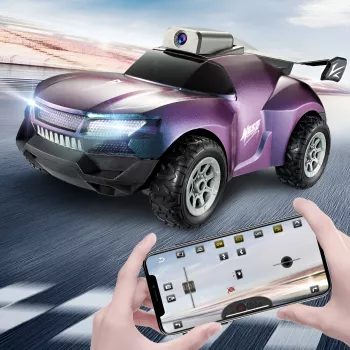
Product Spotlight: RC Car with HD Camera, FPV Wi‑Fi, Remote Control Stunt Car
Quick look
| Item | Details |
|---|---|
| Name | RC Car with HD Camera, FPV WIFI, Remote Control Stunt Car, Electric Drift Climbing Toy |
| Price | $33.67 USD |
| Availability | In stock |
- Retro Linen Quick-Dry Bath Mat with Non-Slip Rubber Backing (useful as a grippy “traction zone” or a soft barrier around obstacles)
- Vintage Embossed Glass Storage Jar with Airtight Seal – 23.7 oz (handy for storing small accessories like tape, twist ties, or tiny course markers)
- Girls Winter Warm Jogger Pants with Elastic Waist (a cozy add-on if the RC fun is headed outdoors in cooler weather)
FAQ
How does FPV Wi‑Fi work on a camera RC car?
The car broadcasts its own Wi‑Fi signal, and your phone connects to that network to receive a live video stream in an app or viewer. Range and smoothness depend on distance, obstacles (like walls), and interference from other nearby Wi‑Fi networks.
Why is the video lagging or freezing during FPV driving?
Common causes include being too far away, having walls or furniture between the phone and car, a crowded Wi‑Fi environment, low battery, or too many apps running in the background. Move closer, try a more open location, close extra apps, and start with a fully charged battery.
What surface is best for drifting and for climbing?
Smooth, hard floors are best for drifting because they make it easier to break traction and hold a slide. For climbing and grip, use textured mats, carpet, or rough pavement, and keep loose debris away so it doesn’t get pulled into the wheels.









Leave a comment